
Write better feedback right in the browser extension; see what's landing across the class on the dashboard.
The same sidebar your students use — opened beside the work you're marking.
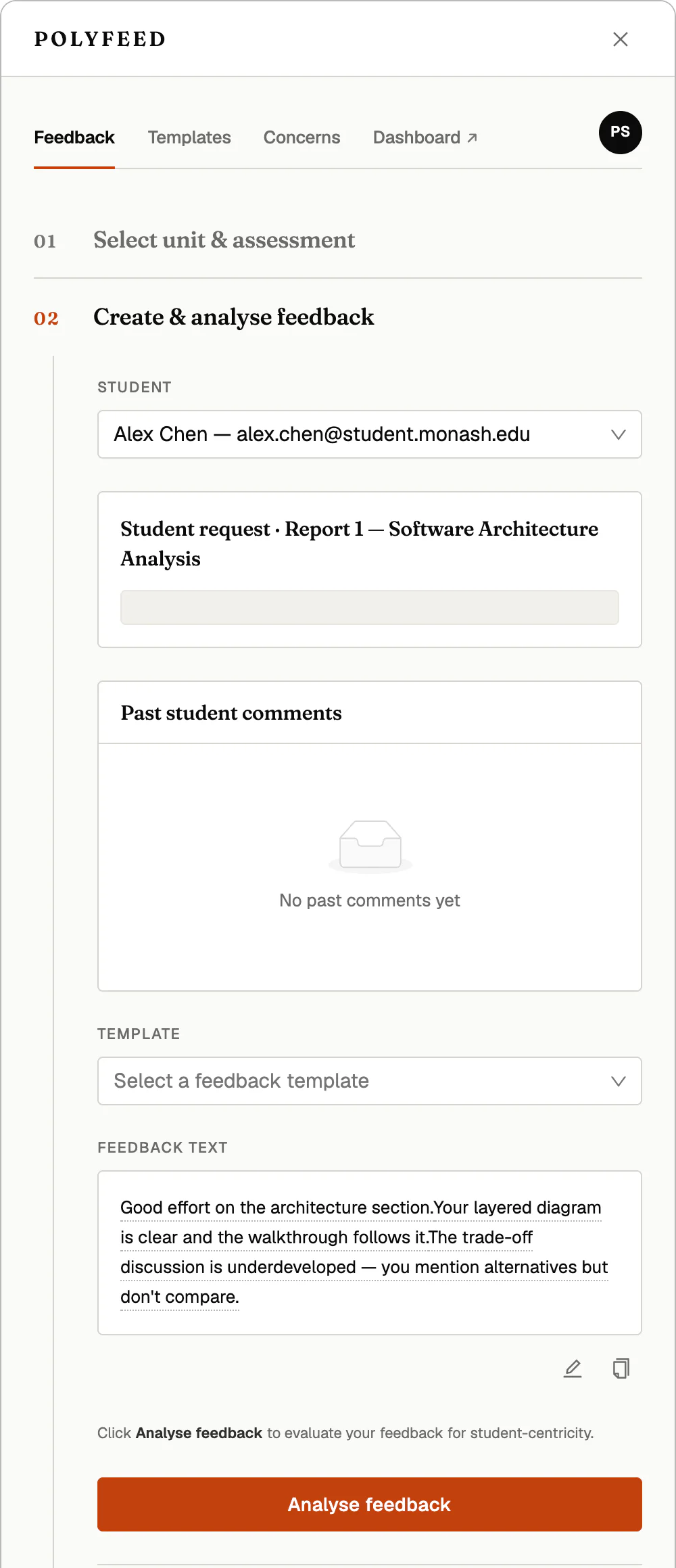
Pick a student and assessment, start from a saved template, and draft your comments right in the sidebar.
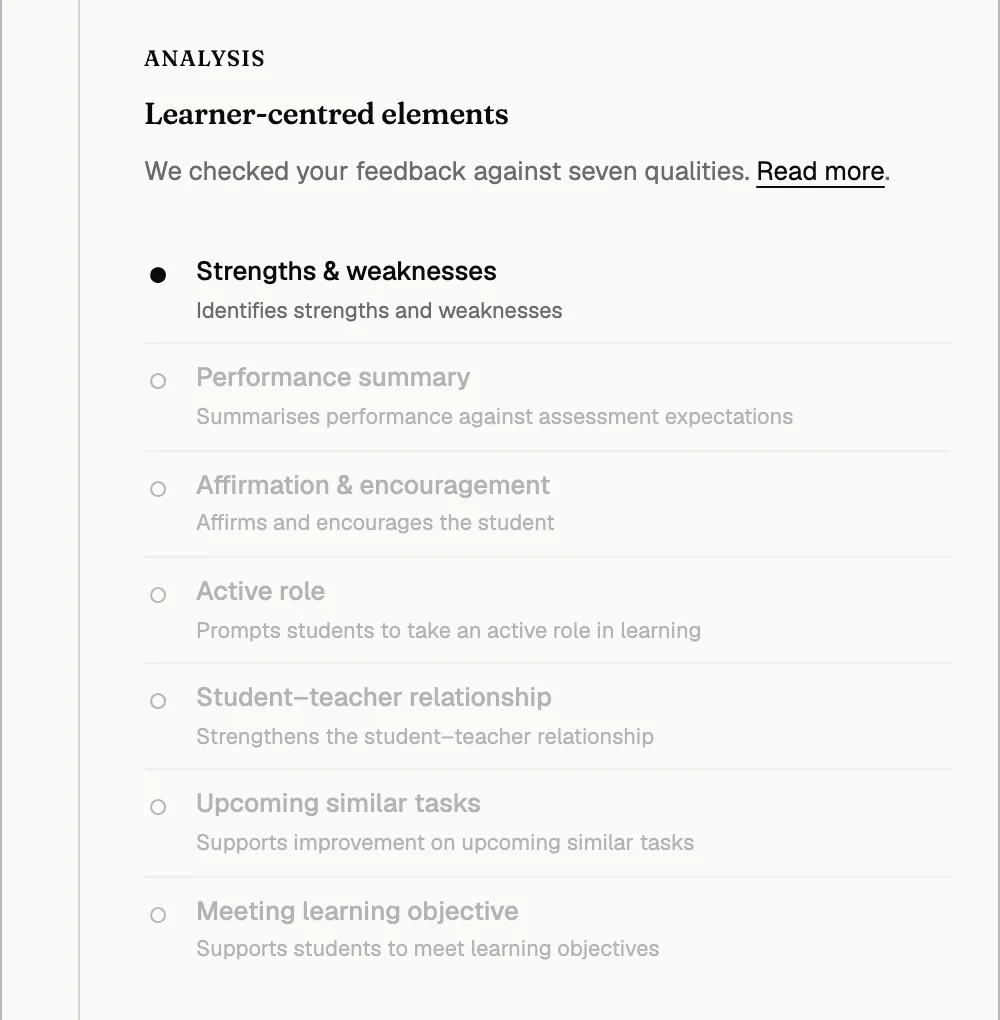
One click checks your draft against seven learner-centred qualities — from naming strengths and weaknesses to prompting an active role — so you see what your feedback does, and what it misses.
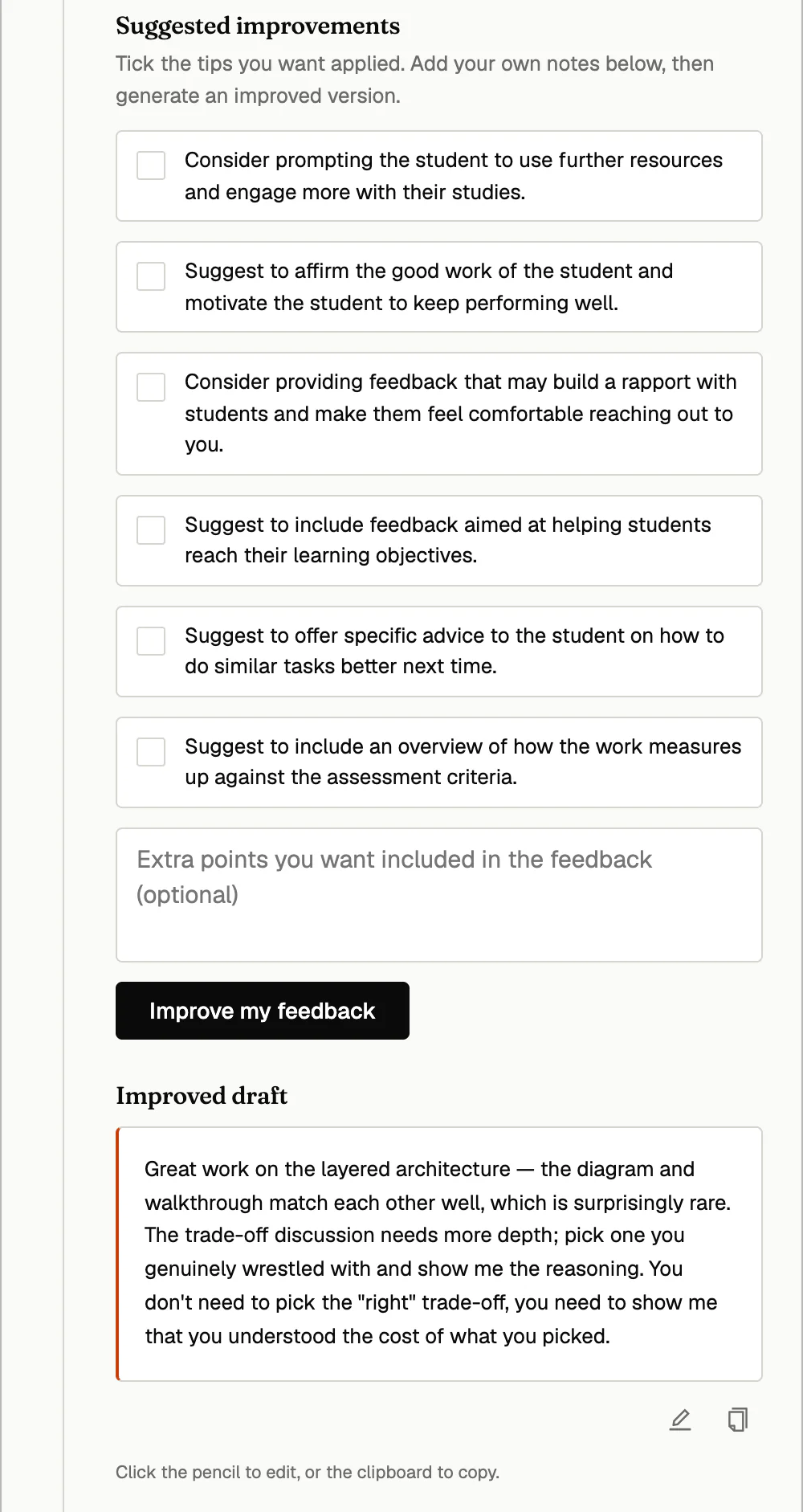
Tick the suggestions you want — encourage, affirm, point to resources — and PolyFeed generates an improved draft you can edit and copy. The feedback stays yours; the AI just raises the floor.
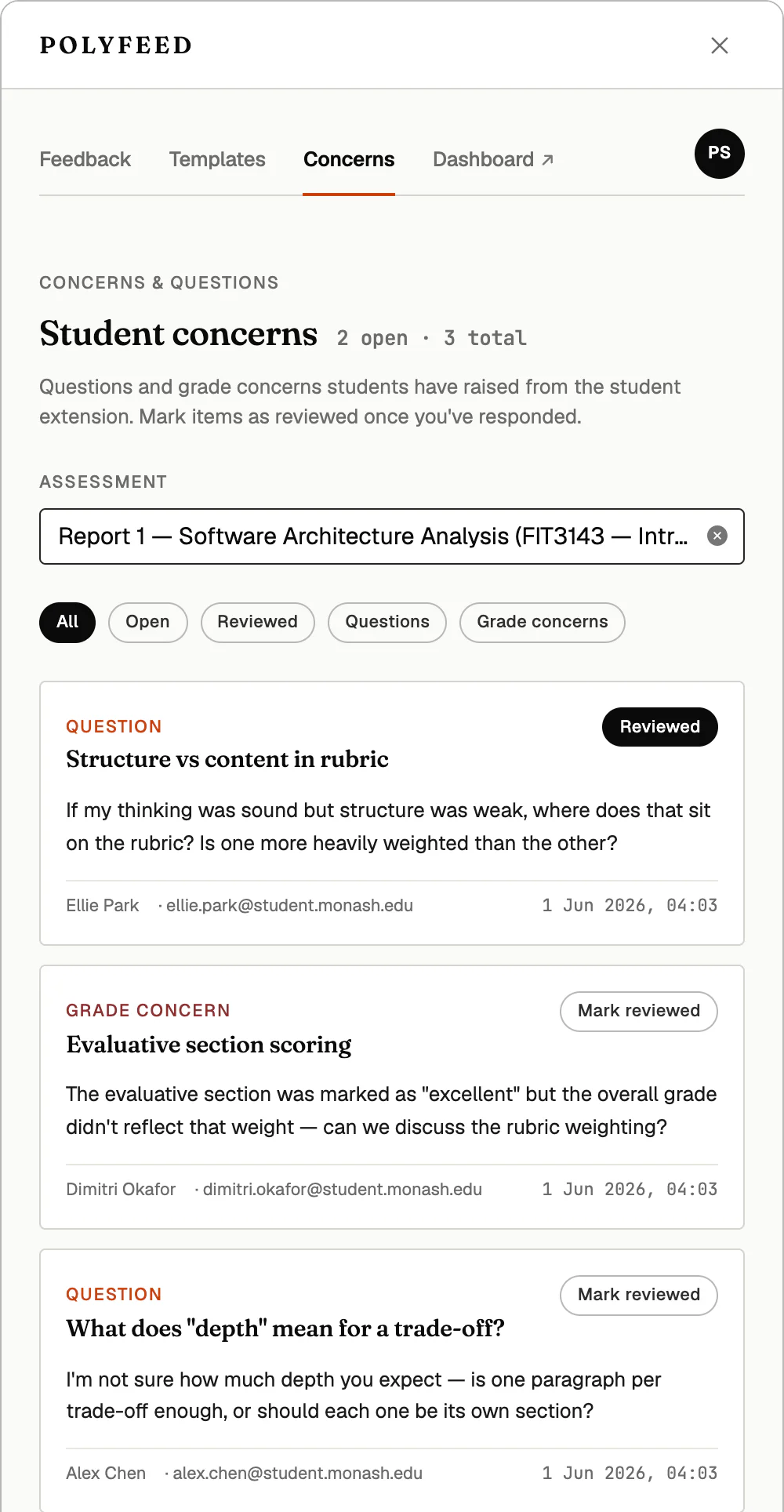
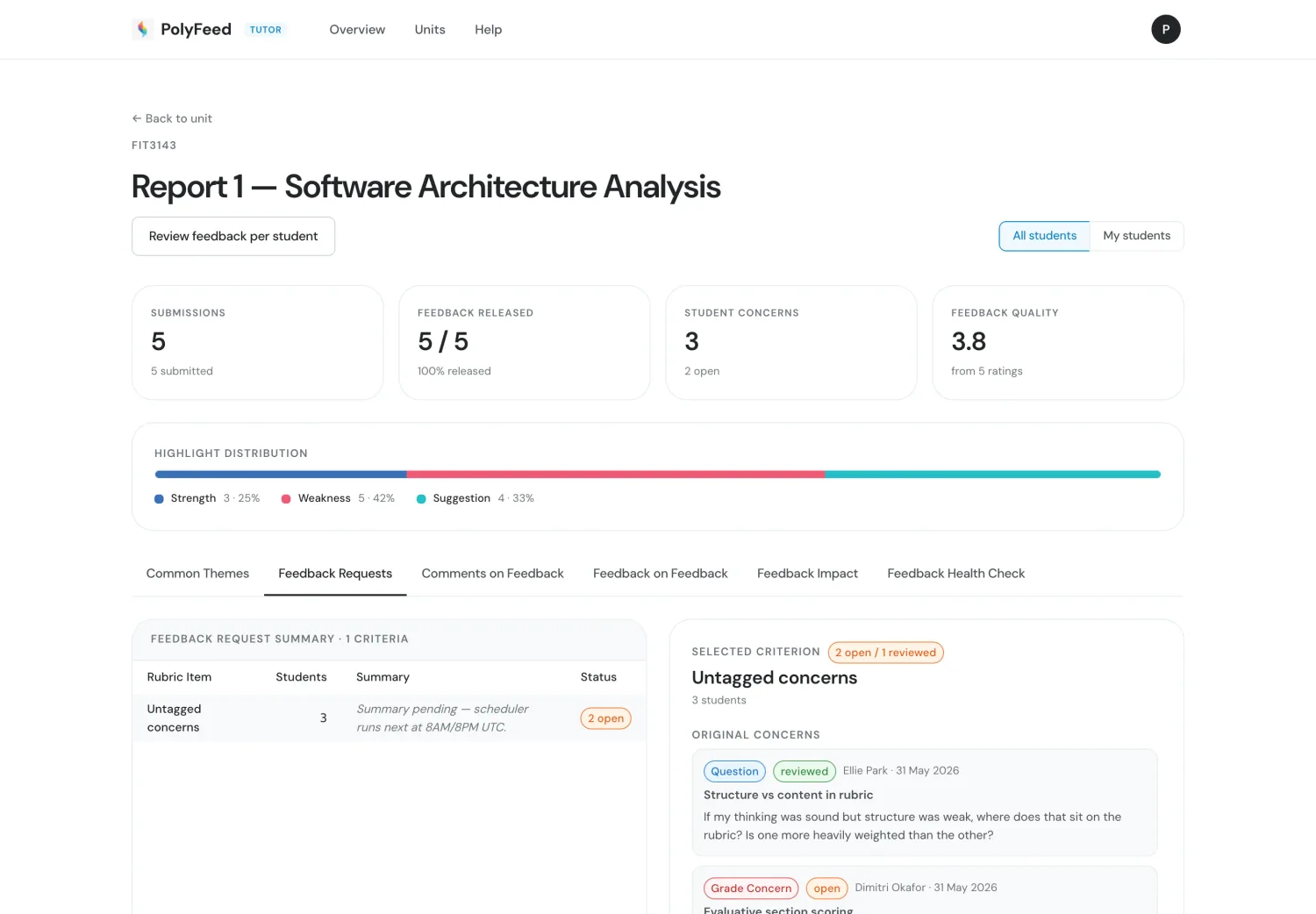
The questions and grade concerns students raise from their extension land right here — labelled, time-stamped and filterable. Mark each one reviewed once you've responded.
Every interaction in PolyFeed Student feeds PolyFeed Teacher. Tutors get aggregated insight — student progress across the class, whether students acted on the feedback, a feedback health check, and the questions they raised — no extra marking, no separate survey.
Every student interaction in PolyFeed Student rolls up here — so you can see what's landing, and where the class needs you most.
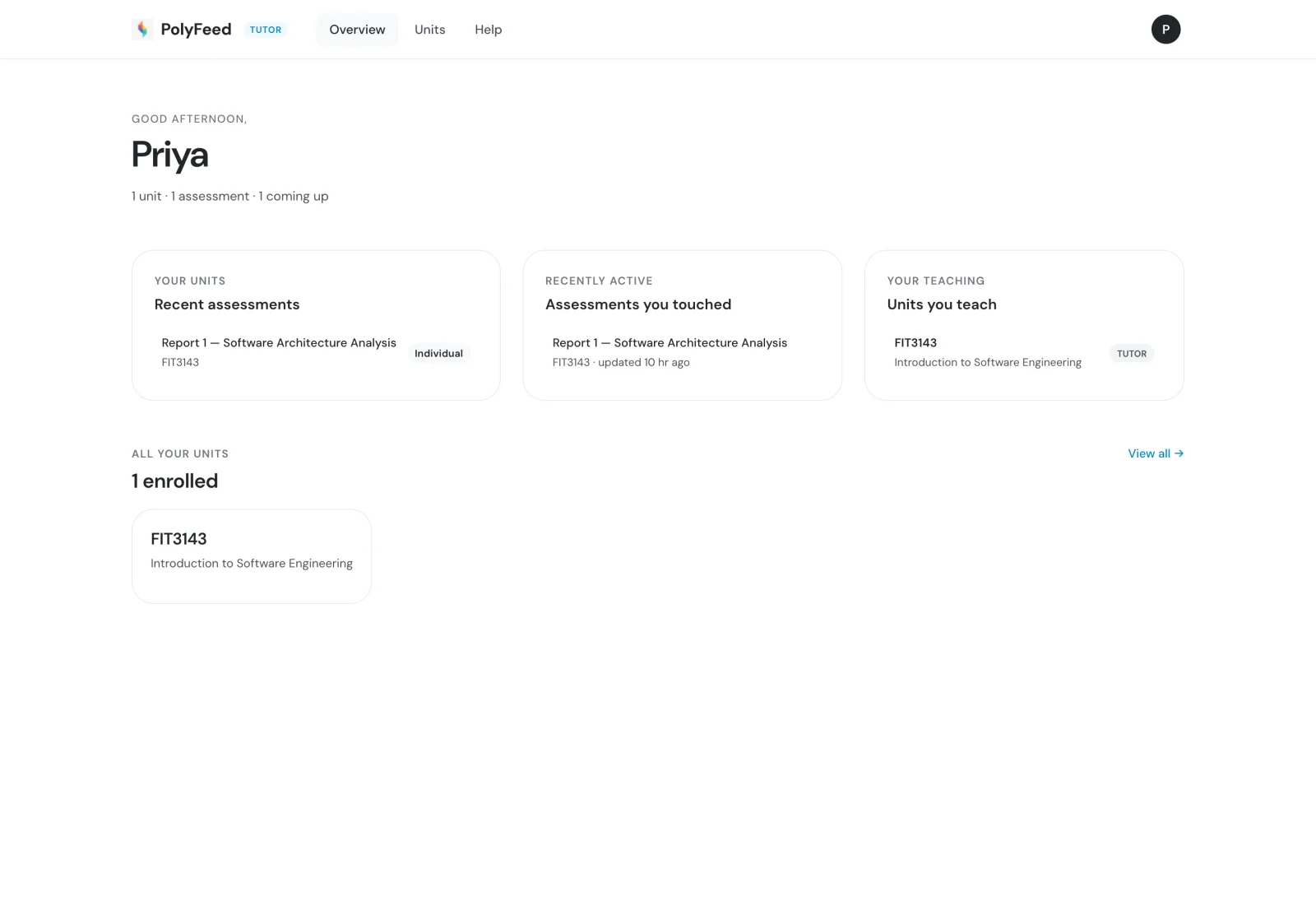
A calm home base — recent assessments, the units you teach, and what students have touched lately, all in one glance.
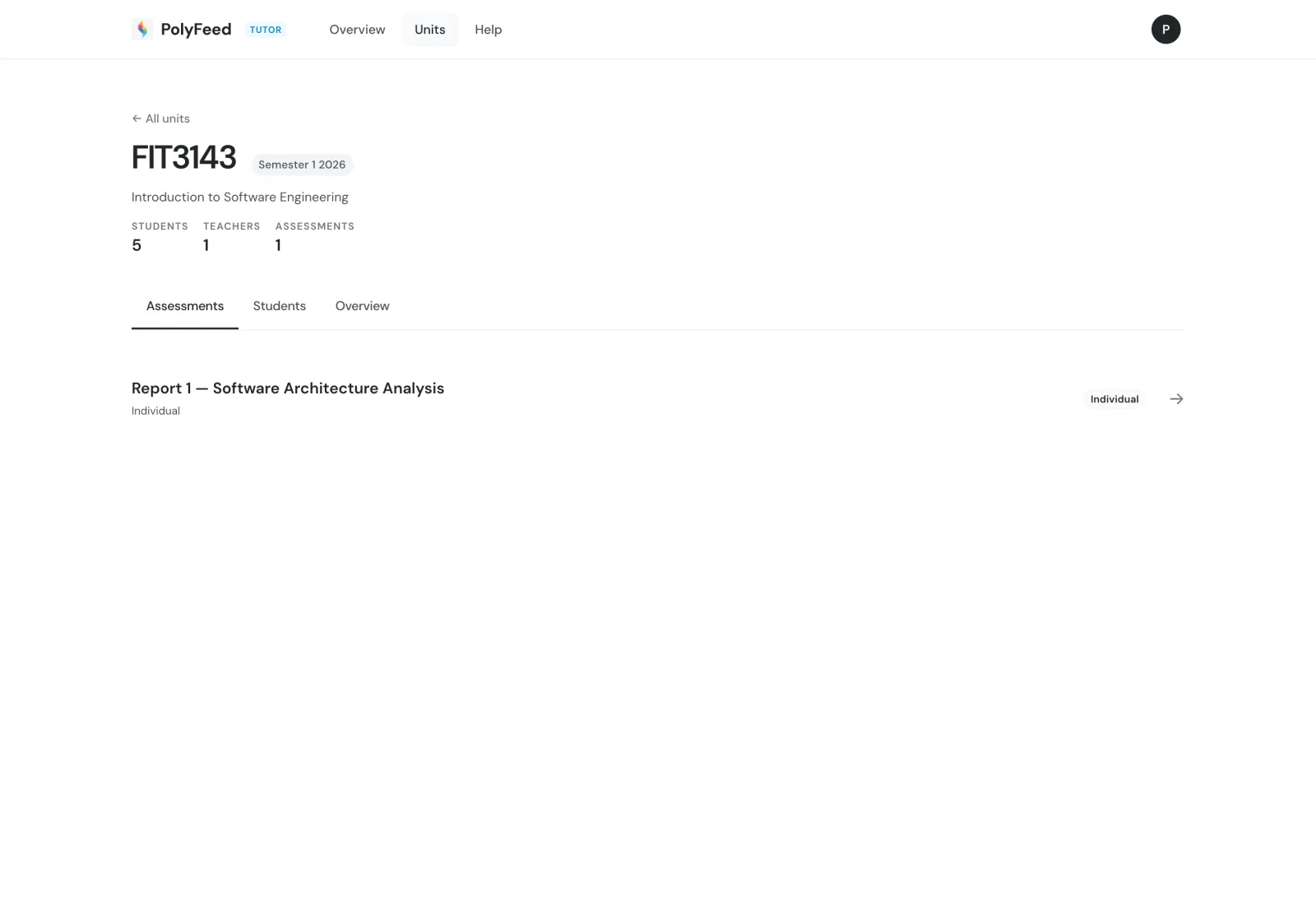
Each unit gathers its assessments, students and teachers — your way into the class for any piece of work.
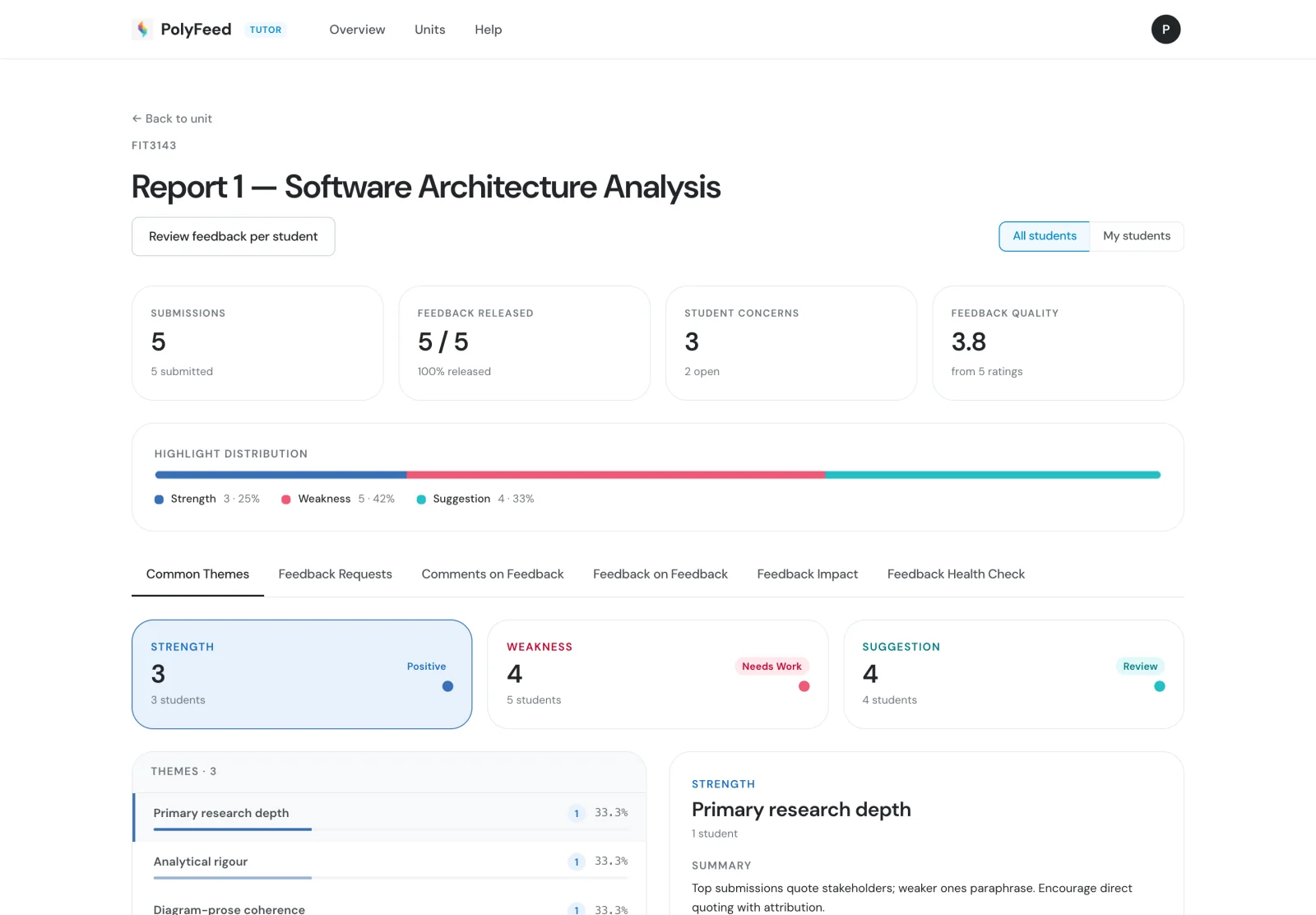
Submissions, feedback released, student concerns and a feedback-quality score — with the strength / weakness / suggestion distribution across every highlight the cohort made.
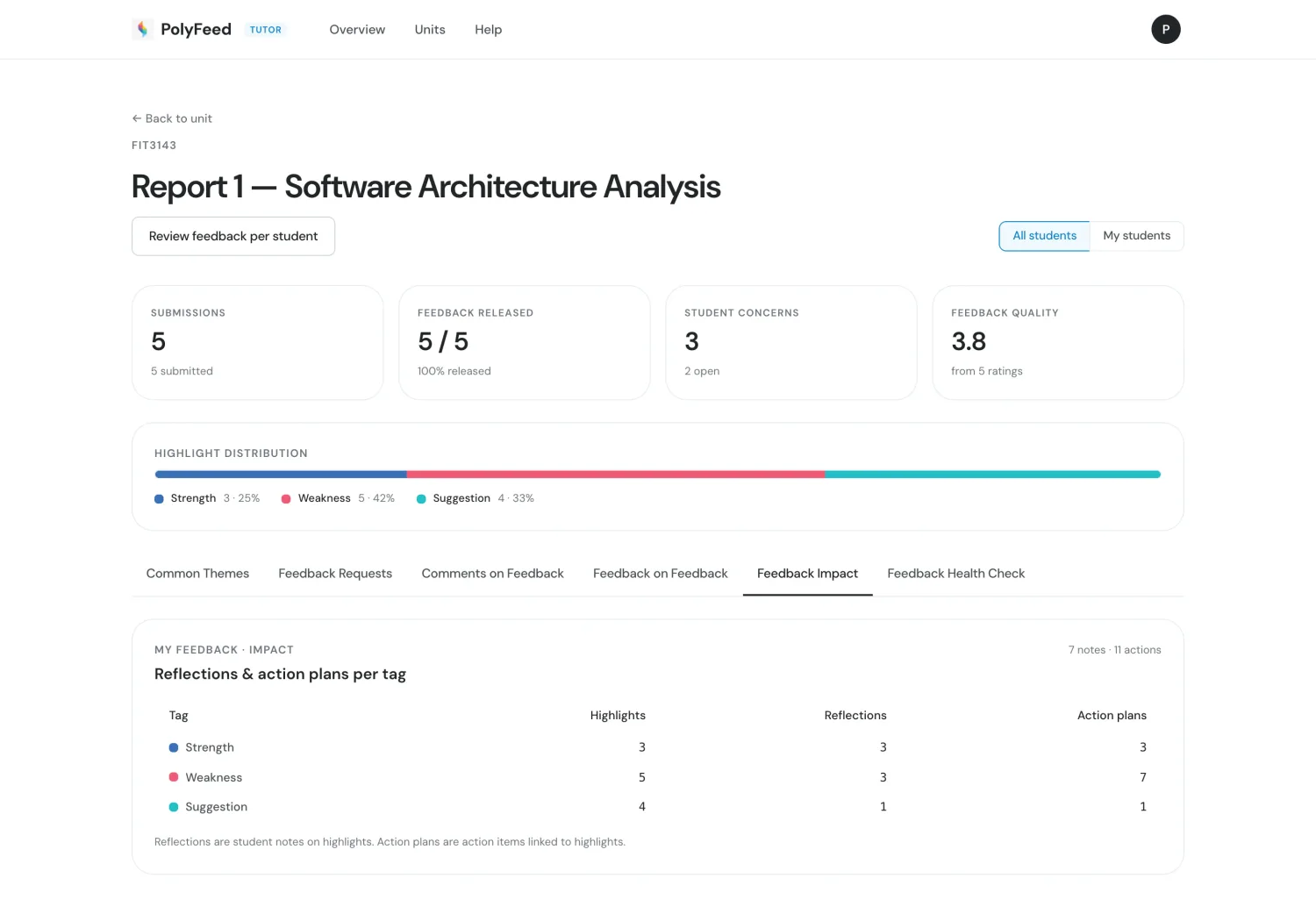
See how many highlights students reflected on and turned into action plans — broken down by strength, weakness and suggestion, so you know which feedback drives change.
Questions and grade concerns are grouped by rubric criterion, with AI-drafted replies ready for you to review — turning a flood of emails into one organised queue.
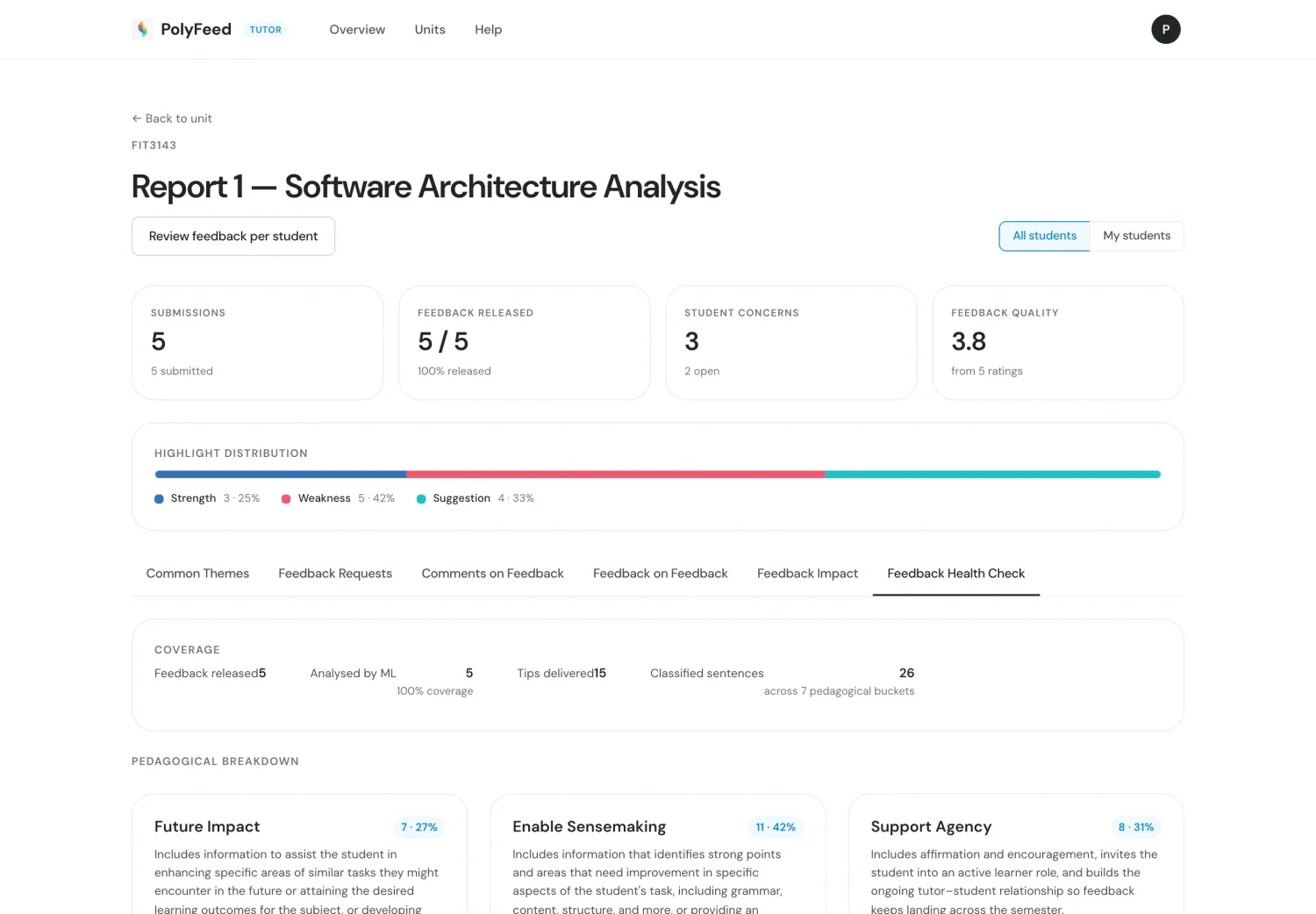
A quick read on the quality signals in your feedback across the cohort — so you can keep what's working and adjust what isn't, semester after semester.
A quick walkthrough — from drafting feedback with the AI health check to class-level insight.
Explore the student side, or explore the research behind PolyFeed.